Yes, Aviator bets can be cancelled before the round starts. Learn the steps, how cancellation differs from cash-out, and what to check on Bangbet Uganda.
Yes. Bangbet Uganda’s Aviator instructions confirm that you can cancel a bet by pressing “Cancel” if its round has not yet started. Once that bet becomes active, cash-out is the relevant action before the plane flies away.
The distinction matters: cancelling a pending bet, cashing out an active one, and stopping automatic betting serve different purposes. Always identify the relevant betting panel and check the outcome of your instruction.
The rules available through Aviator on Bangbet Uganda.
Can You Cancel an Aviator Bet Before Take-Off?
Bangbet Uganda’s Bet & Cash Out instructions state that a player can press the “Cancel” button if the round has not yet started.
This establishes the cancellation boundary: the instruction must concern a bet whose intended round is still waiting to begin.
The supplied rules do not specify a guaranteed number of seconds for cancellation. Do not assume that a countdown, delayed animation, or slow connection gives you additional time.
Act promptly when cancellation is available, then check the resulting status. Touching the button is an attempt to cancel; the important question is whether the game accepted that instruction before the round started.
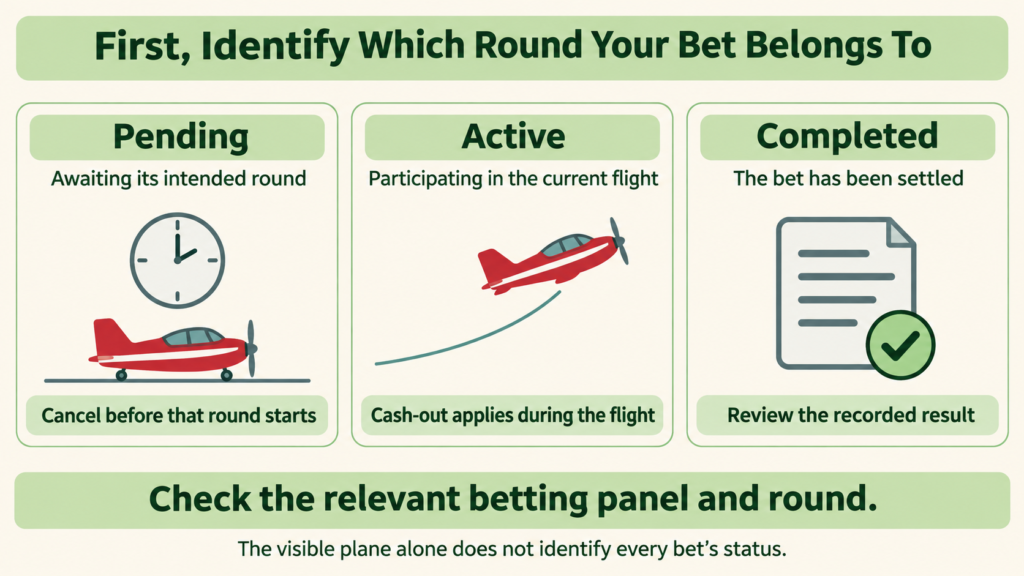
First, Identify Which Round Your Bet Belongs To
Before pressing a control, distinguish between three situations:
| Bet status | What it means |
| Pending | The bet is awaiting its intended round. |
| Active | The bet is participating in a round already underway. |
| Completed | The bet has already been settled. |
Check the relevant panel rather than relying only on the plane animation.
Where an interface allows an instruction for the next round during an ongoing flight, that instruction belongs to a different round from an active bet in the current flight.
Bangbet’s guide to how Aviator works explains the wider round structure. For cancellation, focus on whether your particular bet’s round has started.
How to Cancel a Pending Aviator Bet
Follow these steps when you have a pending bet:
- Locate the relevant betting panel. Identify the instruction you want to cancel.
- Check the stake and round status. Make sure you are reviewing the correct bet.
- Press “Cancel” before its round starts. This is the cancellation control identified in Bangbet’s supplied instructions.
- Check the panel’s response. Confirm that the instruction is no longer shown as pending or active.
- Investigate any uncertainty. Review available records or contact support if the response is unclear.
The supplied rules confirm the button label and timing condition. They do not describe a particular success message, button colour, or balance animation, so those details should not be assumed.
Do not place another bet to test whether cancellation worked. That can create an additional instruction without resolving the first.
Cancellation, Cash-Out and Stopping Auto Bet Are Different
| Action | Purpose |
| Cancel | Withdraw a pending bet before its round starts. |
| Cash Out | Settle an active bet before the plane flies away. |
| Disable Auto Bet | Stop automatic placement of future bets. |
Bangbet’s rules explain that the multiplier starts at 1x and increases during the flight. A successful cash-out return is calculated by multiplying the stake by the cash-out multiplier.
For example, a hypothetical UGX 1,000 bet successfully cashed out at 1.50x returns UGX 1,500, including the stake.
If the plane flies away before cash-out, the stake is lost. Read Bangbet’s explanation of Aviator cash-out for further detail.
Cancellation does not provide a way to reverse an already completed losing round.
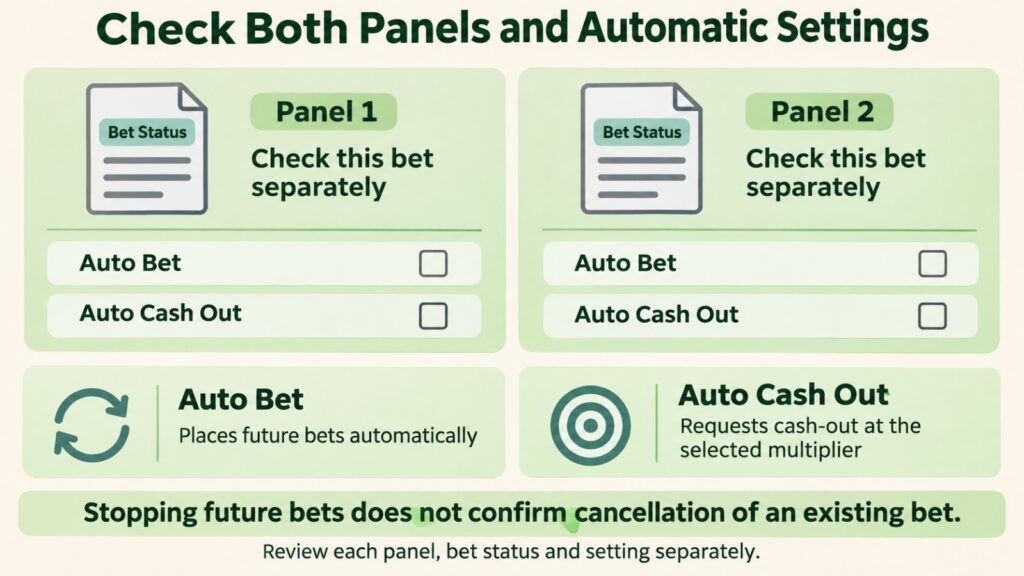
Check Both Panels and Automatic Settings
Review each betting panel separately. Cancelling one instruction does not establish that another instruction has also been cancelled.
Bangbet’s supplied rules explain that automatic betting is activated through the “Auto” tab by checking “Auto Bet”. They also distinguish this from “Auto Cash Out”, which settles a bet automatically when the entered multiplier is reached.
When stopping, review the Auto Bet checkbox and confirm automatic placement is disabled.
Do not assume that disabling future automatic bets cancels an instruction already submitted. Check that pending or active bet separately.
What If the Connection Drops or Cancellation Is Unclear?
Bangbet’s supplied rules state that, when the internet connection is interrupted while a bet is active, the game automatically cashes out at the current multiplier and adds the return to the balance.
That rule concerns an active bet. It does not establish that disconnecting cancels a pending instruction. Do not deliberately disconnect as a cancellation method.
The rules separately state that affected bets are refunded when a gaming hardware or software malfunction renders the affected bets and payouts void.
An ordinary delay does not, by itself, establish a qualifying malfunction. Preserve the time, stake, panel, and available reference, then ask support to investigate.
Frequently Asked Questions
Does closing Aviator cancel a pending bet?
Closing the game is not the cancellation method described in the supplied rules. Use “Cancel” before the relevant round starts and check the result.
Can I cancel after the plane takes off?
If your bet is active in that flight, cancellation no longer applies. Cash-out must succeed before the plane flies away.
Does stopping Auto Bet cancel an existing bet?
The supplied instructions do not establish that it does. Check the existing instruction separately.
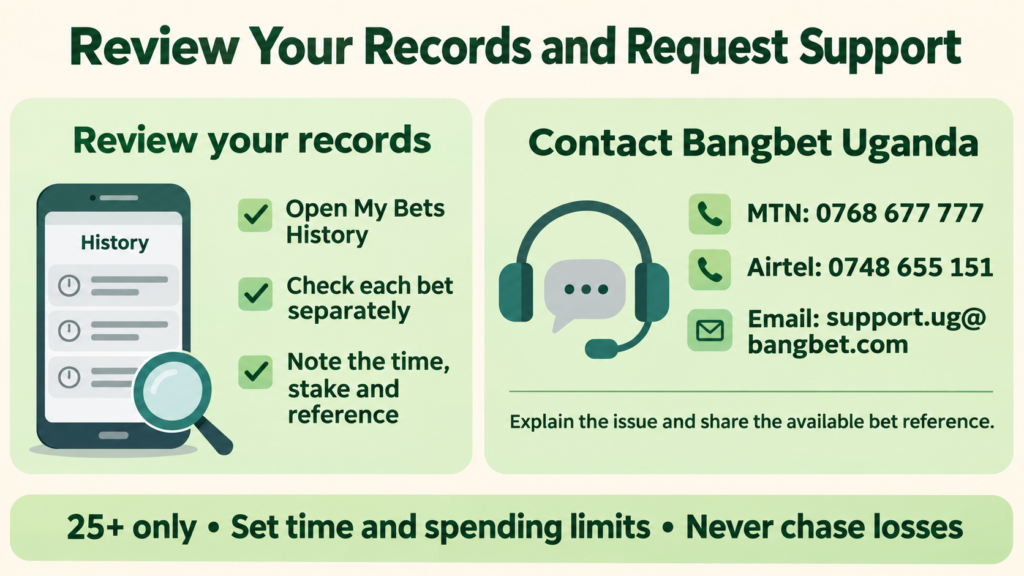
Where can I check my records?
Open the game menu and select “My Bets History”, as identified in Bangbet’s rules.
Review Your Records and Request Support
Follow Bangbet’s Aviator bet-history guide to review recorded activity. For loading problems, consult its Aviator troubleshooting guide.
Contact support.ug@bangbet.com, 0768 677 777 or 0748 655 151 if an instruction remains unclear.
25+ only. Follow Bangbet’s responsible-gambling guidance: protect essential money, set spending and time limits, never borrow and never chase losses.
Verdict
You can cancel an Aviator bet on Bangbet Uganda by pressing “Cancel” before its round starts. Once active, the relevant action is cash-out before the plane flies away. Review both panels, check automatic settings separately, and confirm the outcome rather than assuming a button press succeeded.