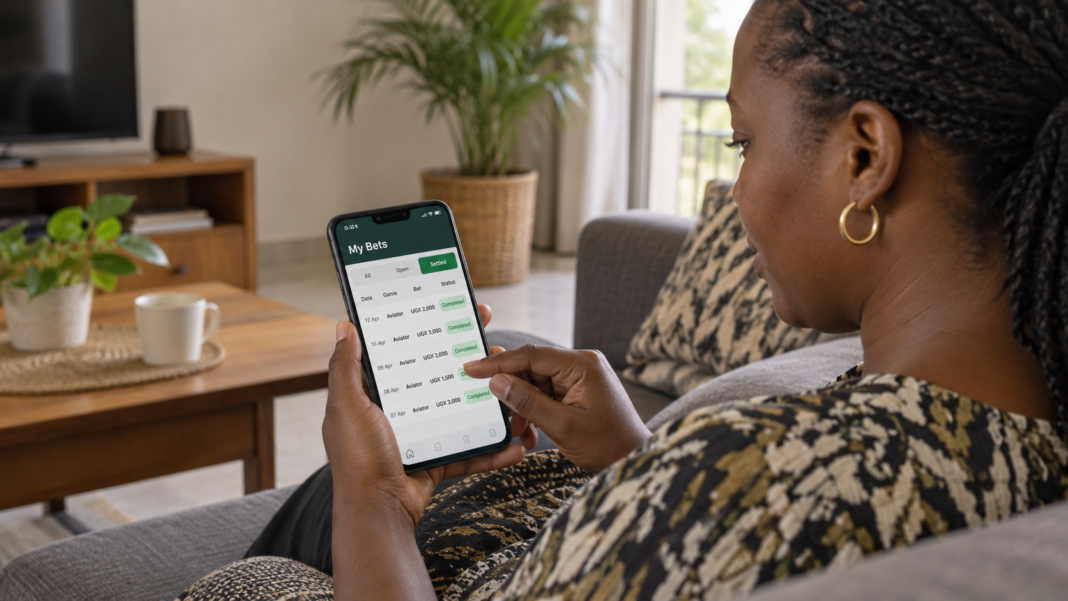
Follow the exact Bangbet Uganda steps to find your Aviator bet history, review round details, and report a missing or disputed game record safely.
Checking your Aviator bet history on Bangbet Uganda helps you confirm whether a stake was accepted, whether you cashed out, the multiplier, and the result. The important point is to use the history control inside Aviator—not Bangbet’s bottom-menu My Bets, which currently opens sportsbook history.
Bangbet’s mobile interface was checked on 01st October 2026. Screens confirm the bottom navigation labels Home, Live, Aviator, My Bets, and Me. Account records require sign-in, so review only your own history and never share credentials.
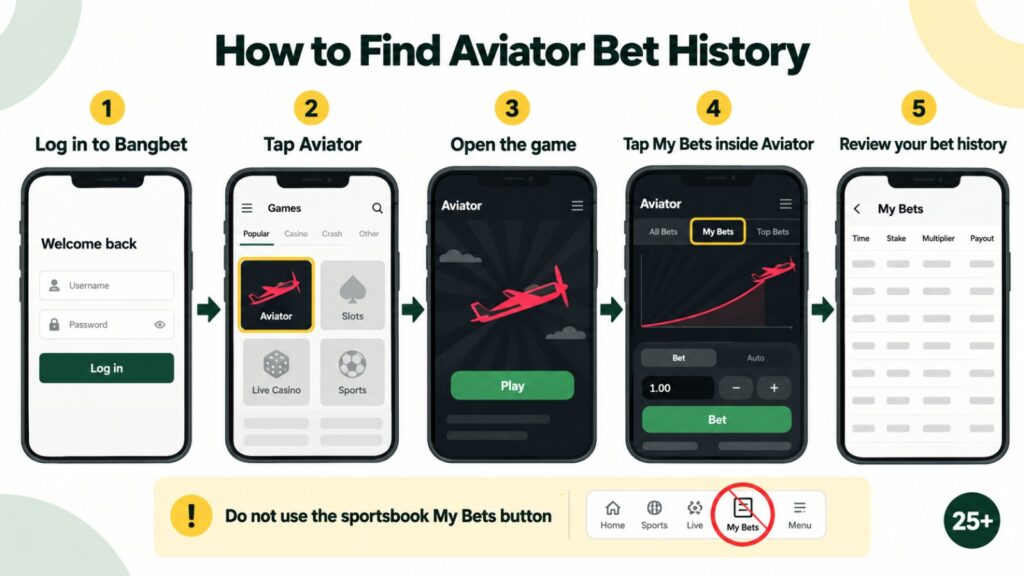
Exact Bangbet Uganda directions
- Open the official Bangbet Uganda mobile site. Check that the address begins with https://www.bangbet.com/ before entering any details.
- Tap Join / Login at the top, or tap Me in the bottom-right corner and choose Register / Login. Enter the +256 registered mobile number and your Bangbet password.
- After signing in, tap Aviator in the bottom navigation. You can also open the verified Bangbet Aviator page.
- Wait for the SPRIBE game frame to load. The page displays a Demo Play switch. Make sure you are viewing the signed-in real-money game rather than demo mode; demo activity is not your funded-account betting record.
- Inside Aviator, select the in-game My Bets History tab. This is the game-specific list associated with your Aviator activity. Do not leave the game and tap Bangbet’s bottom-menu My Bets by mistake.
- Review the relevant entry. Match the stake, round time or identifier, cash-out multiplier, result, and payout shown, where those fields are available. If you placed two bets in one round, check both entries separately because each stake and cash-out action is recorded independently.
- Take a screenshot or note the round details if you need to query the record. Hide your balance and details before sharing an image outside the official support channel.
Why Bangbet’s bottom My Bets is different
Bangbet’s bottom My Bets button currently routes to Sports History, not Aviator history. That page contains Open Bets and Bet History, plus All, Today, Week, Month, and Show the winners filters. Those controls are designed for sportsbook tickets.
For Aviator, remain inside the game and use its own My Bets History. This distinction matters because searching sportsbook filters for a casino round can incorrectly make it appear that the record is missing.
Use Transactions only as a cross-check
The Me page includes a separate Transactions option. Open Me → Transactions when you need to check whether the account balance changed or to compare related account movements. Transactions should not replace the Aviator round record: one shows account-level activity, while the in-game history supplies the round-specific context.
When comparing records, write down the date and time in EAT, stake amount, balance movement, multiplier or cash-out point, displayed payout, and any available round reference. Do not place another bet merely to test whether history is updating.
What if an Aviator bet is missing?
First, refresh the game once and reopen the in-game My Bets History view. Confirm that you are signed into the same Bangbet account and are not in Demo Play. Allow a short period for a completed round to settle, but do not repeatedly submit bets.
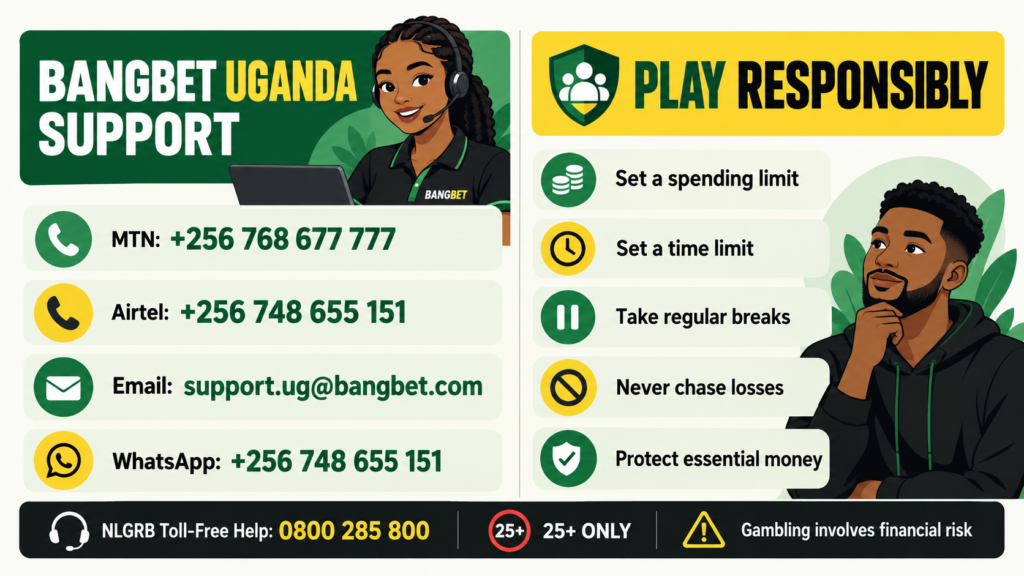
If the entry or balance still appears wrong, follow the Bangbet Uganda support and complaints guide. Provide your registered number, date and time, stake, expected result, round reference, and screenshots. The official guide lists support.ug@bangbet.com, 0768 677 777, and 0748 655 151. Use 0748 655 151 for WhatsApp guidance. Never provide a password, mobile-money PIN, or OTP.
If a financial complaint remains unresolved after Bangbet has had a reasonable opportunity to investigate, the National Lotteries and Gaming Regulatory Board provides an official complaint portal.
Bet history is a record, not a prediction tool
SPRIBE describes Aviator as a multiplayer game in which the multiplier rises until the flight ends. Previous rounds do not reveal when the next round will stop. Use history to verify account activity, not to create a pattern, signal, or guaranteed strategy.
Avoid predictor apps, Telegram signals, and unofficial history trackers because they are not substitutes for Bangbet’s account record.
Play Aviator with Bangbet Uganda
Eligible adults aged 25+ can open Aviator on Bangbet Uganda and review their own records safely. Before playing, set affordable time and money limits and read Bangbet’s responsible Aviator guide.
Frequently asked questions
Where is Aviator bet history on Bangbet Uganda?
Open Aviator while signed in, then select My Bets History inside the game. The My Bets icon in Bangbet’s bottom navigation opens Sports History instead.
Can I see old Aviator bets under Sports History?
No. The observed Sports History page is for sportsbook tickets. Use Aviator’s in-game history; use Transactions only to cross-check account movements.
Why does my history show no real-money bet?
Confirm you used the correct account and were not in Demo Play. Refresh once, reopen Aviator, and check again. Contact official support if the round remains missing.
What details should I send Bangbet support?
Send the registered phone number, exact date and time, stake, multiplier or cash-out point, payout, round reference, and screenshots. Never send your password, PIN, or OTP.
Verdict
The correct route is: log in → open Aviator → use My Bets History inside the game. Bangbet’s bottom-menu My Bets is sportsbook history, while Me → Transactions is only a supporting account record. For a disputed round, save the exact details and contact support.