
Is Aviator not loading on Bangbet Uganda? Follow safe checks for login, browser, network, and account issues, plus official support steps.
If Aviator is not working on Bangbet Uganda, confirm the official website, sign in again, reload once, test the connection, and update the browser. Never install an “Aviator fixer,” predictor, or unofficial app. If money is involved, stop retrying and preserve evidence.
On Bangbet Uganda’s mobile interface, Aviator appears in the bottom navigation. Selecting it while signed out opens a +256 mobile-number and password screen, so a login request is not necessarily a fault. Use the official Bangbet Uganda website or Bangbet Aviator page.
First, identify what is not working
“Aviator not working” could mean the tile is missing, the page is blank, loading never finishes, login fails, a round freezes, or a stake appears unresolved. Record the exact error, time, device, browser, and connection. Take a screenshot, hiding passwords, PINs, OTPs, and full account details.
Before changing settings, confirm that the phone’s date and time are automatic and that it has enough free storage. An incorrect clock can cause secure-site errors, while almost-full storage can disrupt the browser. If a forwarded page asks for password changes or identity verification, leave it and reopen Bangbet directly.
Check whether the Bangbet home page and another casino title load. If the whole site fails on mobile data and Wi-Fi, the problem may be wider. If only Aviator fails, it may be a session or browser issue. Neither test alone proves a system-wide outage.
Sign in through the official Bangbet interface
Open Bangbet Uganda and select Aviator from the bottom menu or Casino section. If the login panel appears, enter the registered mobile number and usual Bangbet password. Confirm that Uganda’s +256 code is selected and the number is correct.
Never share a password, mobile-money PIN, or OTP with anyone offering to restore the game. Avoid unknown Telegram, WhatsApp, or social-media links. Safe troubleshooting does not require a predictor, remote-access app, or payment to an “agent.”
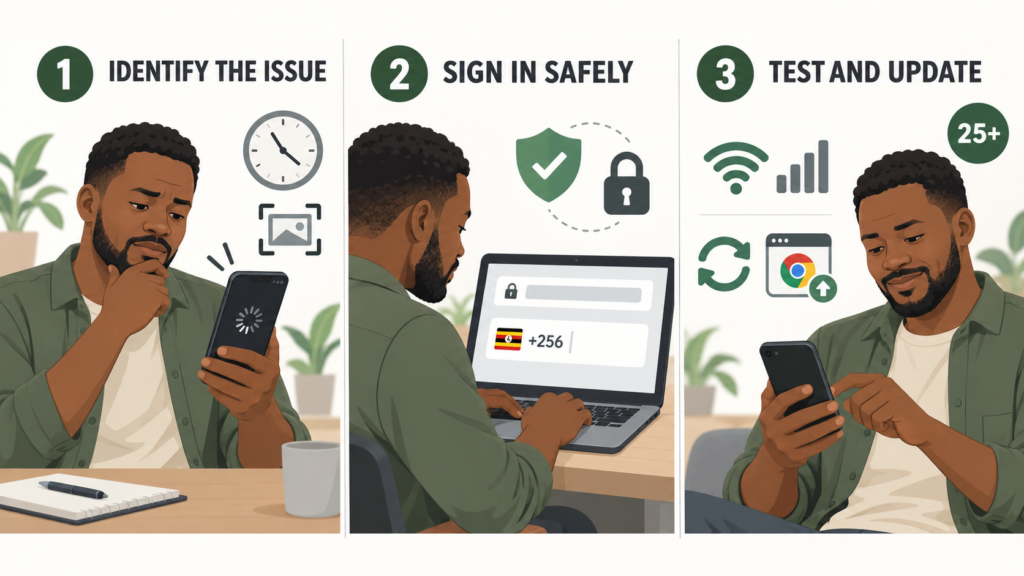
Reload once and test the connection
Close the Aviator panel, return home, and open it again. If that fails, close unused tabs and restart the browser. Restarting the phone may also release memory when a game freezes.
Switch once between Wi-Fi and mobile data. An unstable connection can interrupt a live session even when text pages open. Temporarily turn off Data Saver if it blocks interactive content, but do not use a VPN to bypass checks. It can add latency and create account-security concerns.
Update the browser and clear only necessary data
Use a current version of Chrome, Safari, or another supported browser. Google explains how to update Chrome on Android, while Apple advises updating Safari through the latest supported operating-system release in its Safari update guide.
If updating and restarting do not help, clear stored data for bangbet.com before deleting everything. Google explains how to remove cookies and site data in Chrome. Apple provides steps to clear Safari history, cache, and cookies. Cookies may sign you out, so know your password first. Do not delete saved passwords unintentionally.
Aviator needs normal web features, including JavaScript and site data. If using a strict content blocker, disable it only for the official Bangbet domain. Never weaken security globally or ignore a certificate warning.
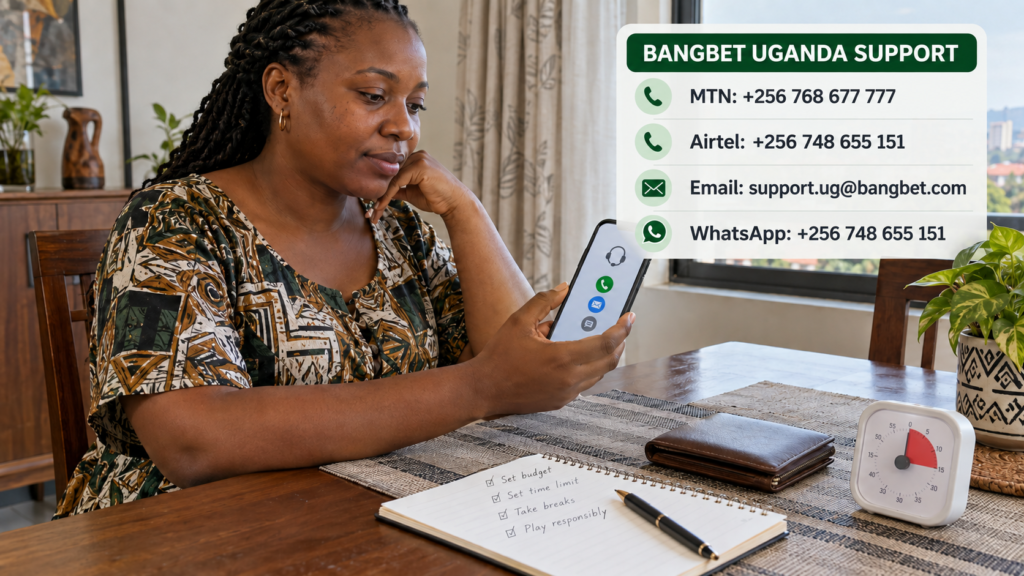
Stop retrying when money is involved
If a stake was accepted, the balance changed, or a round froze after submission, do not keep pressing the bet button. Repeated taps can make the record harder to understand. Note the amount, date, and exact time, then capture the displayed balance, round or bet reference, and error message.
Check the account’s transaction or game history before assuming the money is lost. If the status remains unclear, use Bangbet’s official support and complaints guide. It lists support.ug@bangbet.com, 0768 677 777 and 0748 655 151, plus Live Chat.
Use 0748 655 151 for WhatsApp guidance. Send a concise timeline and screenshots, but never send a password, PIN, or OTP.
If a financial complaint remains unresolved after Bangbet has had a reasonable opportunity to investigate, the National Lotteries and Gaming Regulatory Board provides an official complaint portal.
Responsible use while troubleshooting
A technical interruption is not a reason to chase losses or increase later stakes. Gambling involves financial risk and should be treated as entertainment, not income. Review Bangbet’s responsible Aviator guide and the NLGRB’s self-evaluation and self-exclusion resources. Gambling in Uganda is for adults aged 25 and above.
After resolving the issue, eligible adults aged 25+ can open Aviator on Bangbet Uganda. Set affordable money and time limits and read the responsible Aviator guide. If the problem continues, use the official support guide instead of repeatedly retrying a bet.
Frequently asked questions
Why is Aviator showing a blank screen on Bangbet?
Possible causes include an expired login session, stale site data, an outdated browser, limited memory, a blocked script, or an unstable connection. Follow the checks above in order.
Is Aviator currently down on Bangbet Uganda?
One failed device cannot confirm an outage. Test the home page, another game, and one alternative connection. If several services fail, check Bangbet’s official channels or contact support.
Should I reinstall an app to fix Aviator?
Not immediately. First, use the official website, restart and update the browser, then clear only Bangbet site data. Never install APK files or “fixers” from unofficial links.
Can a VPN make Aviator load?
No, use a normal Ugandan connection and contact official support instead of bypassing restrictions.
What should I do if a stake was deducted?
Stop further bets, record the time and amount, screenshot the status, and check transaction history. Then report the case through Bangbet’s official support route with the relevant reference number.
Verdict
If Aviator does not load, use the official site, confirm your login and connection, update the browser, then clear only Bangbet site data. If a stake or balance is unclear, stop betting, save evidence, and contact official support. Never use predictors, VPNs, or unofficial installers.