Learn how to log in to Bangbet Uganda, reset your password, download the official Android app, and resolve common account-access problems.
The Bangbet login allows registered customers to access their accounts, balances, transactions, and betting records. Ugandan customers can sign in through the official mobile website or download the Android application directly from the Bangbet platform.
The Bangbet Uganda application is not supported on Google Play Store. Android users should open the official Bangbet website, select Me, and use the Download APP option. Avoid third-party APK websites, social-media links, and applications sent by unknown individuals.
Where to find the official Bangbet login
Start from the official Bangbet Uganda website. The platform displays the Join/Login option across its sports and casino sections.
Customers who already have accounts should select Login. Do not register another account simply because the existing account is temporarily inaccessible. Creating duplicate accounts can cause verification and account-management complications.
Before entering personal details, confirm that the website belongs to the bangbet.com domain. Avoid pages with misspelled domain names or unofficial links claiming to provide bonuses, guaranteed bets, or account-unlocking services.
How to log in to Bangbet Uganda
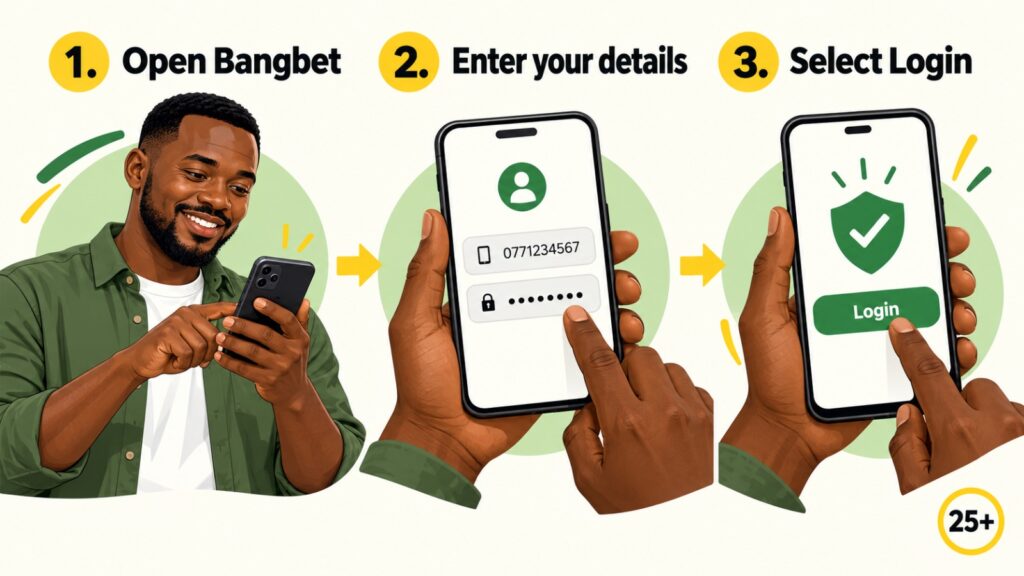
Follow these steps:
- Open the Bangbet Uganda website.
- Select Login.
- Enter the mobile number registered to the account.
- Enter the correct password.
- Check the details for typing errors.
- Select the login button.
- Wait for the account section to load.
The Bangbet sports-betting FAQ states that a customer’s username is the registered mobile telephone number and cannot currently be changed. Customers must therefore use the same number entered during registration.
Avoid saving passwords on shared telephones, cybercafé computers or other public devices. Always log out after using a device that other people can access.
How to download the Bangbet Uganda app
The official Bangbet Uganda Android application is available directly through the customer’s Me section. It is not downloaded from the Google Play Store.
Use the following process:
- Open the Bangbet Uganda Me page.
- Log in if the platform requests account access.
- Select Me from the platform menu.
- Locate and select Download APP.
- Allow the APK installation file to download.
- Open the downloaded file.
- Follow the Android installation instructions.
- Open the installed application.
- Log in using the registered mobile number and password.
The official Bangbet Me page includes the app-download option alongside account features such as Sports History, Transactions, Promotions, Live Chat, and account earnings.
Existing customers do not need to register again after installing the application. The same account details used on the mobile website should be used in the app.
Installing the Bangbet APK safely
Android may block applications downloaded outside Google Play. If this happens, the telephone may display a security message and direct the user to install unknown apps or a similarly named setting.
Temporarily allow installation for the browser or file manager used to download the official Bangbet APK. Return to the downloaded file, complete the installation, and disable that permission afterwards.
Only install the file obtained through the official Bangbet platform. Do not install:
- Modified Bangbet applications
- Predictor or “sure win” applications
- APK files shared through Telegram or WhatsApp
- Files from unofficial download websites
- Apps requesting unnecessary account or mobile-money credentials
Customers who prefer not to install an APK can continue using the Bangbet Uganda mobile website.
What to do if the Bangbet app is not opening
First, confirm that the installation completed successfully. Then check the internet connection, close and reopen the application, or restart the phone.
If the problem continues:
- Confirm that the APK came from Bangbet’s Me page.
- Check whether a newer version is available.
- Clear the app’s temporary cache.
- Make sure the telephone has sufficient storage.
- Try accessing the account through the mobile website.
- Contact Bangbet support if both access methods fail.
Bangbet’s FAQ recommends restarting or changing the browser when the website becomes slow or freezes.
How to reset a forgotten password
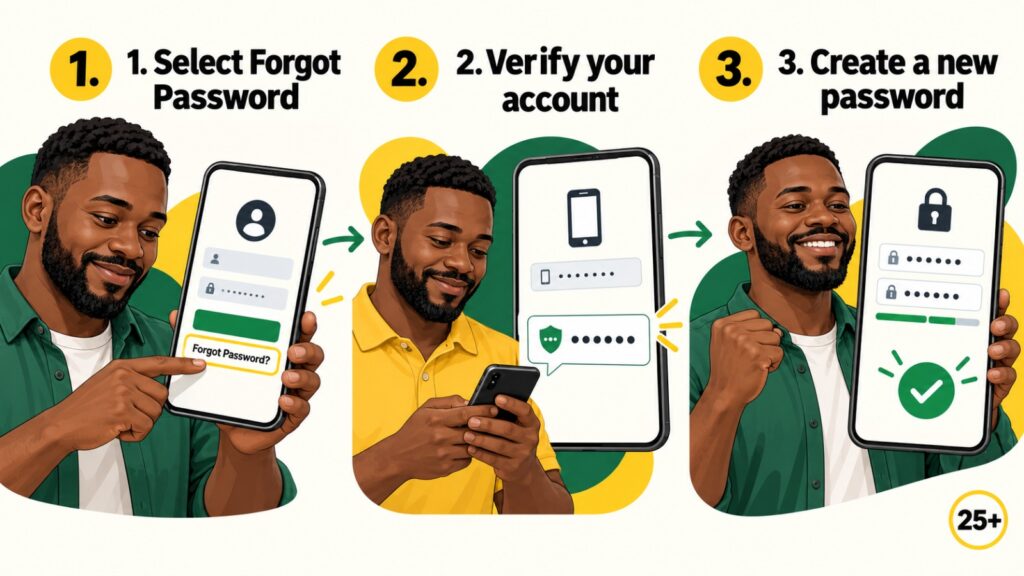
Customers who cannot remember their password should use the recovery option shown on the official login page.
- Open the Bangbet login page.
- Select the forgotten-password option.
- Enter the requested registered account information.
- Follow the displayed verification instructions.
- Create a new and unique password.
- Return to the login page.
- Sign in with the new password.
Bangbet confirms that customers can retrieve or reset a forgotten password through the login page. If the recovery process fails, customers should contact customer service.
Never share a password, PIN, or verification code in blog comments, public social-media replies, or messages to unofficial support accounts.
Common Bangbet login problems
| Problem | Possible cause | Recommended action |
| Incorrect login details | Typing error or wrong number | Re-enter the registered details |
| Forgotten password | Password cannot be recalled | Use the password-recovery option |
| Page keeps loading | Weak connection or browser issue | Refresh or change the network |
| App does not open | Incomplete or outdated installation | Download again through Me |
| Account is restricted | Security or verification review | Contact official support |
| Installation is blocked | Android security setting | Temporarily permit the official APK |
Avoid repeatedly guessing the password. Stop after several unsuccessful attempts and use the official recovery process.
Protect your Bangbet account
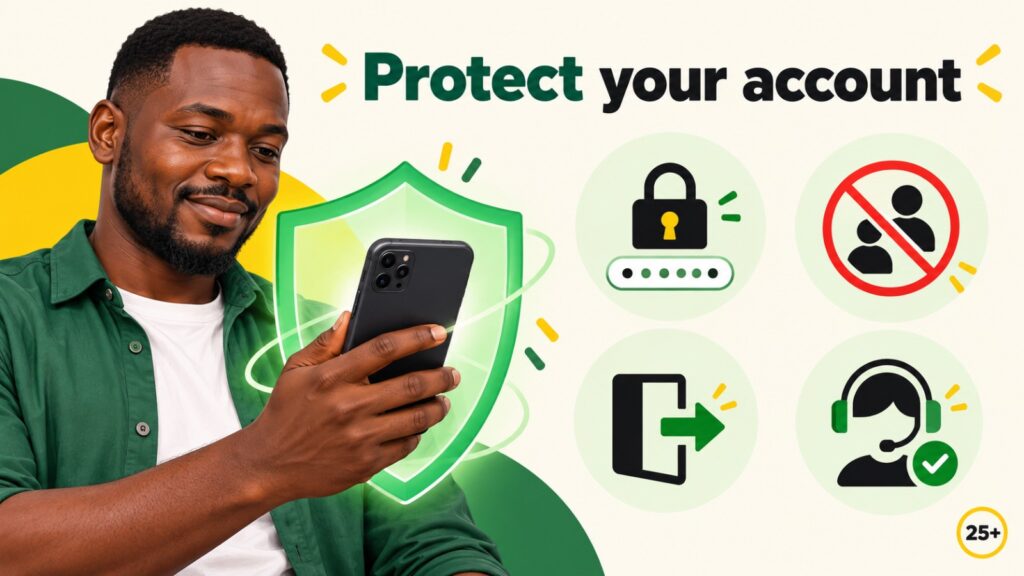
Use a password that is not shared with email, social-media, or mobile-money accounts. Bangbet’s published terms place responsibility on customers to keep their account information confidential.
After logging in, customers can review recorded wagers through the Bangbet open-bets and betting-history page. Report unfamiliar bets or transactions immediately through the platform’s verified support channels.
Contact Bangbet Uganda support
Contact customer support when password recovery repeatedly fails, an account is restricted, or unfamiliar activity appears.
Available channels include:
- Live Chat: Through the Bangbet website
- MTN line: 0768 677 777
- Airtel line: 0748 655 151
- Email: support.ug@bangbet.com
Provide the registered telephone number and a short description of the problem. Never send a password, mobile-money PIN, or verification code.
Frequently asked questions
Is the Bangbet app on Google Play Store?
No. It is not supported on Google Play. Download it through the official Bangbet Me page.
Can I use the same account on the app and website?
Yes. Use the same registered mobile number and password.
Can I change my Bangbet username?
Bangbet states that the username is the registered mobile number and cannot currently be changed.
What if the APK will not install?
Follow the Android security prompt or continue using the mobile website while seeking support.

Access Bangbet Uganda securely
Eligible adults can log in, recover their passwords, or download the application through the official Bangbet platform. Read Bangbet’s responsible-gambling guide for information about limits, breaks, and safer participation.
Conclusion
The safest Bangbet login journey begins on the official website. Android users should open Me, select Download APP, and install the file directly. Do not search for the app on Google Play or use unofficial APK sources.
25+ only. Gambling involves financial risk. Treat betting as entertainment, avoid chasing losses, and stop if it becomes difficult to control.