Learn when a pending Bangbet casino Mobile Money withdrawal can be cancelled, how to check its status, and when to contact Customer Care.
Yes. A pending casino Mobile Money withdrawal on Bangbet Uganda can be cancelled if it has not been successful. A successful withdrawal can no longer be cancelled as pending.
Always contact Bangbet Uganda Customer Care if you have questions about cancellation, processing time, transaction status, or your available balance. Do not submit a second withdrawal while the first request remains unresolved.
What Does a Pending Withdrawal Mean?
A pending withdrawal is a request that Bangbet has received but has not completed successfully. It may still be processing, awaiting an account check, waiting for payment approval, or moving through the selected Mobile Money network.
Pending is different from successful, rejected, cancelled, or reversed. Check the exact status in your Bangbet transaction history before acting. Bangbet’s casino deposit and withdrawal guide explains the payment process. Cancellation is possible only before success.
When Can You Cancel It?
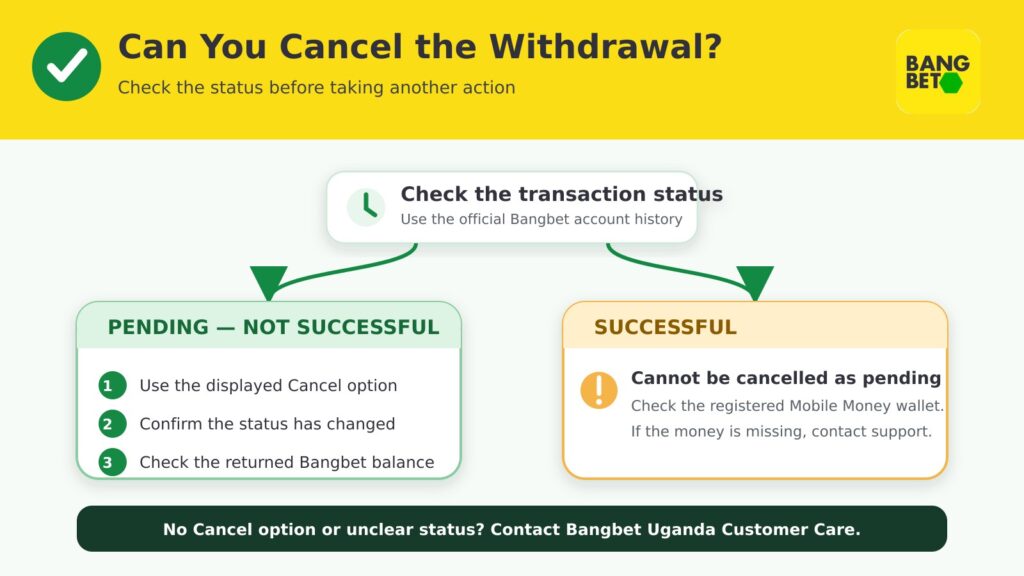
You can cancel a casino Mobile Money withdrawal while it remains pending and has not been successful. Open the withdrawal record and look for a Cancel button or another cancellation control beside the transaction.
If the option appears, verify the amount, network, registered number, and reference before confirming. Afterwards, check that the status has changed and the money has been returned to your Bangbet cash balance.
If no cancellation option appears, do not assume that cancellation is impossible or complete. Contact Customer Care immediately. Support can check whether the request is still within Bangbet’s payment process or has progressed too far to stop.
How to Cancel a Pending Withdrawal
1. Use the official Bangbet Uganda platform
Open the official Bangbet Uganda mobile website and sign in. Avoid cancellation links from unofficial social-media pages, Telegram groups, or unfamiliar WhatsApp accounts.
2. Find the transaction
Open the cashier, balance, or transaction-history area and locate the specific casino withdrawal. Confirm that you are viewing the correct amount, network, and submission time.
3. Check the current status
Proceed only if the record still says pending and has not been successful. If it already says successful, follow the successful-withdrawal guidance below.
4. Select the cancellation option
Where Bangbet displays Cancel, select it and review the confirmation message carefully. Do not consider the request cancelled until its status changes and the balance is restored correctly.
5. Always contact Customer Care with questions
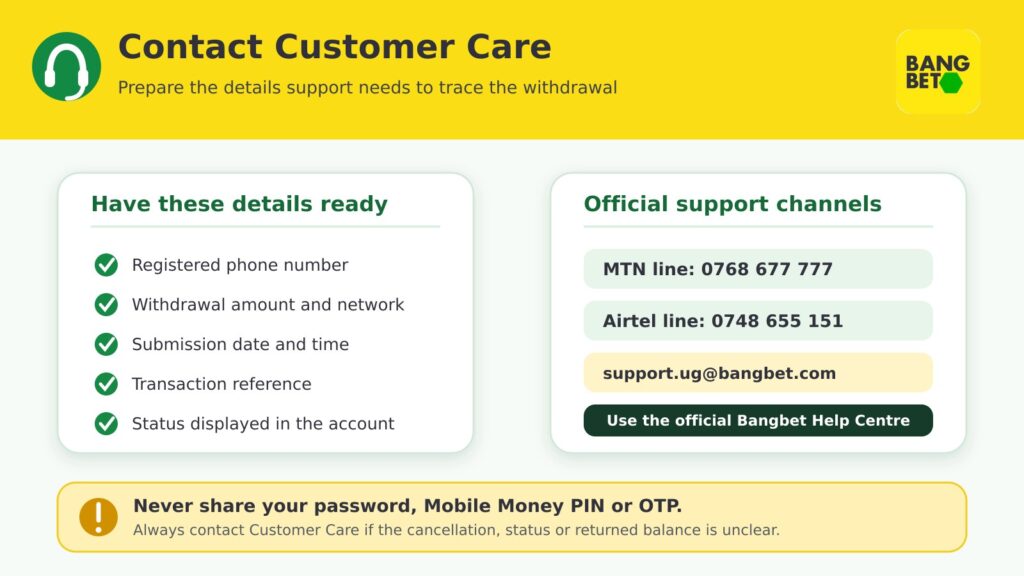
For any uncertainty, contact Bangbet Uganda Customer Care through the following official channels:
- MTN line: 0768 677 777
- Airtel line: 0748 655 151
- Email: support.ug@bangbet.com
- Online support: Bangbet Help Centre
Provide your registered phone number, withdrawal amount, network, submission time, reference, and displayed status. Never disclose your Bangbet password, Mobile Money PIN, or one-time password.
What Happens After Cancellation?
Check whether the cancelled amount has been returned to your available Bangbet cash balance. Do not submit another withdrawal if the balance or status remains unclear. Retain the reference and confirmation until the records agree.
A rejected or reversed status is not automatically the same as a cancellation. Read any message shown beside the transaction and ask Customer Care to explain an unexplained status or deduction.
What If It Is Already Successful?
A successful withdrawal has passed beyond the cancellable pending stage. Check the registered MTN or Airtel Money wallet and compare the receipt with the Bangbet reference.
MTN’s Mobile Money consumer terms state that completed transactions are generally final, subject to limited exceptions. Therefore, do not request a network reversal merely because you changed your mind.
If Bangbet shows successful but the money has not reached your wallet, contact Bangbet Customer Care first. Do not place a duplicate request. Customers using Airtel can also consult Bangbet’s Airtel Money withdrawal guide for checks.
Can You Change from MTN to Airtel?
Do not switch networks while the original withdrawal remains pending. First, cancel it successfully or obtain guidance from Customer Care. Submitting another request before the first is resolved can create duplicate records and complicate balance checks.
The general Bangbet withdrawal guide provides information about supported methods and account ownership.
Frequently Asked Questions
Can every pending withdrawal be cancelled?
It can be cancelled if it has not been successful. Use the displayed cancellation option or contact Customer Care for assistance.
Should I withdraw again immediately?
No. Wait until cancellation is confirmed and the returned balance is correct.
Can support request my Mobile Money PIN?
No. Never share your PIN, password, or OTP with anyone.
Where can I escalate an unresolved complaint?
Contact Bangbet first and retain the case reference. An unresolved operator complaint may be submitted through the NLGRB complaint portal. A Mobile Money provider complaint may be escalated through the Uganda Communications Commission after using the provider’s complaint process.
Check Your Withdrawal and Get Support
Customers aged 25 and above should use only official Bangbet Uganda channels, verify every payment detail, and retain transaction records. Always contact Customer Care for questions about cancellation, delays, status labels, balances, or unsuccessful payments.
Gambling involves financial risk. Protect essential money, set limits, never borrow to gamble, and do not cancel a withdrawal simply to chase losses.
Conclusion
A pending Bangbet casino Mobile Money withdrawal can be cancelled if it has not been successful. Confirm the cancellation and the returned balance before taking another action. If the option is absent or anything is unclear, always contact Bangbet Uganda Customer Care.