Learn how to check Aviator data usage on Bangbet Uganda, separate loading from ongoing consumption and record measurements on Android or iPhone.
Aviator data usage cannot be reduced to a reliable fixed figure without testing a stated device, browser, and session. No completed mobile-data measurements are available for this guide, so it provides a repeatable checking method rather than an unsupported MB estimate.
Use the official Bangbet game, separate loading from ongoing activity, and compare readings from your phone. You can observe without placing real-money bets.
Prepare a clearly defined measurement
Begin with Bangbet Aviator. For game mechanics, consult the separate Aviator overview; this guide focuses on consumption.
Write down the phone model, operating-system version, browser name and version, mobile network, test date, and time in EAT.
Specify whether you use demo mode or observe without wagering. Keep automatic betting inactive.
Close unrelated browser tabs and avoid downloads or other browsing during the test. Minimise background activity without changing essential security settings.
Define the measurement scope. A browser’s app counter measures that browser’s traffic, not necessarily Aviator alone. A whole-phone counter includes other apps.
Use mobile data throughout each comparison. A test conducted over Wi-Fi cannot establish cellular consumption from a mobile-data counter.
Separate initial loading from ongoing usage
Take a starting reading before opening the game. Define “ready” consistently: the game and controls are visible, with no loading message.
Take another reading at that point. The difference represents the measured loading stage within your chosen scope.
Next, observe the loaded game for a fixed period, such as five minutes. Record the exact start and finish times, then take another reading.
For a repeat opening, retain cached resources and use the same ready point. Cached resources may be reused, but the saving must be measured.
A failed load is a failed-load observation, not a successful session result. Use Bangbet’s Aviator troubleshooting guide for loading problems.
Record results without inventing figures
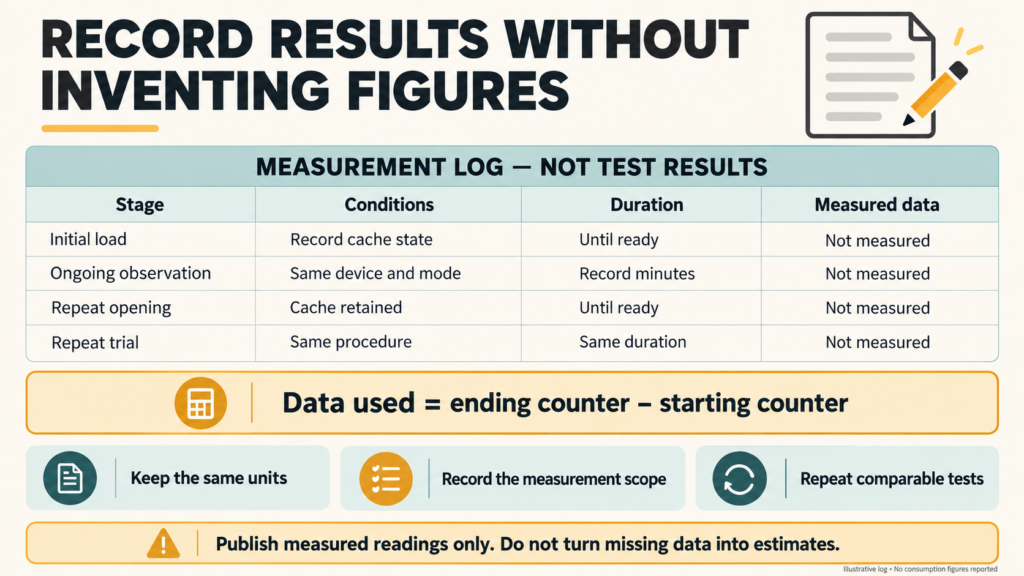
The table below is a measurement log, not published test results. Complete each entry using your readings.
| Stage | Conditions | Duration | Data |
| Initial load | Record cache state | Until ready | Not measured |
| Ongoing observation | Same device and mode | Record minutes | Not measured |
| Repeat opening | Cached resources retained | Until ready | Not measured |
| Comparable repeat | Same procedure | Same duration | Not measured |
Calculate each stage as:
Data used = ending counter − starting counter
Keep the same units. Record separately reported received and sent values, then add them where supported. If only a combined app counter appears, label it accordingly.
Repeat comparable tests at least three times where practical. Report individual results and their range. Do not combine fresh-load and cached-load results into one unexplained average.
Do not extrapolate a short observation into a guaranteed hourly requirement.
Build a chart only after collecting valid results; label each stage, duration, unit, and measurement scope clearly.
Why your results may differ
Potential influences include browser versions, cached resources, page updates, reloads, connection interruptions, and features displayed during observation. These are possible explanations, not effects measured here.
Record any interaction or interruption that changes a trial. A session with repeated reloads should not be presented as uninterrupted observation.
Browser counters may also include traffic from other sites or background browser activity. Closing tabs reduces interference but does not prove perfect isolation.
The phone’s display precision matters too. A counter rounded to the whole MB may conceal small changes. Report that limitation instead of adding invented decimal places.
How to check usage on Android
Google’s Pixel data-usage instructions give this route:
- Open Settings.
- Select Network & internet.
- Open SIMs.
- Select App data usage.
- Choose the relevant period and locate your browser.
Record its reading before and after each stage. Other Android manufacturers use different menus; consult their official instructions if these labels differ.
Check the correct data SIM on dual-SIM phones. Google also notes that operator measurements can differ from device counters.
How to check usage on iPhone
Following Apple’s cellular-data instructions:
- Open Settings.
- Select Cellular or Mobile Data.
- Scroll to the browser’s usage entry.
- Record readings before and after the test.
Check the statistics period. Apple provides Reset Statistics, but resetting changes your existing usage record; noting readings avoids needing that step.
The browser total may include other websites. Confirm the selected cellular line where relevant and compare billing information with your operator.
Managing mobile data consumption
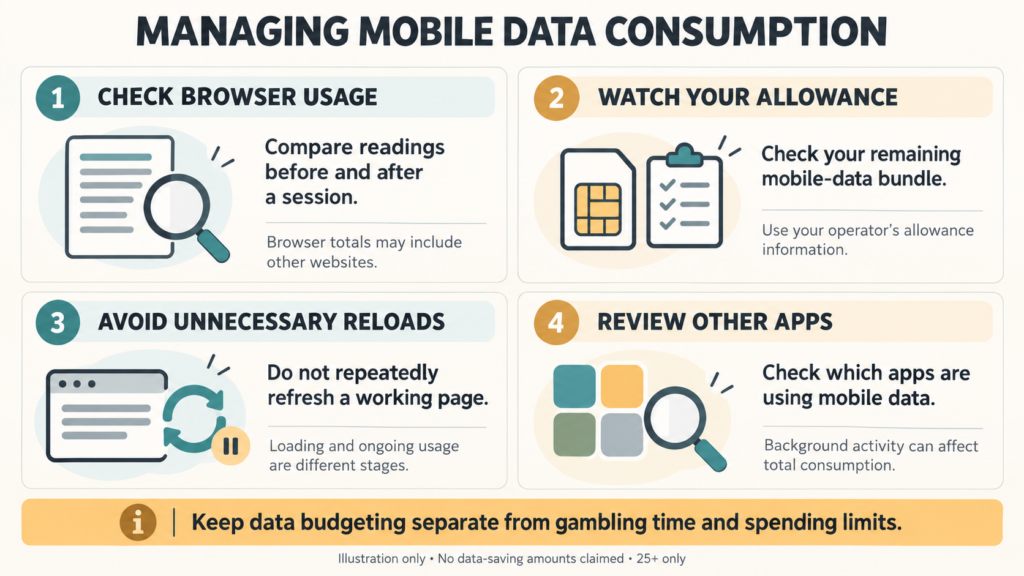
Avoid unnecessary reloads and monitor browser consumption alongside your remaining allowance. Check which other apps account for significant usage.
Do not claim that sound, animation, or another setting reduces Aviator consumption without testing it. Data-saving features can also change page behaviour.
A smaller data reading does not justify extending gambling time. Keep data budgeting separate from spending and session limits.
Frequently asked questions
Does opening Aviator use data before betting?
Loading online content can transfer data without a wager.
Does the demo use the same data as real-money play?
That comparison remains unmeasured here.
Why does my phone show different consumption?
Scope, timing, background traffic, and counter precision can differ.
Does lower consumption mean a more reliable connection?
No. Data volume alone does not measure connection reliability.
Check the official game and your allowance
Use Bangbet Uganda and access Aviator; check your mobile allowance. 25+ only. Gambling involves financial risk. Set affordable limits, avoid chasing losses, and stop if control becomes difficult.
Verdict
No measured MB figure is established here. Separate loading, observation, and repeat visits; document conditions and compare your own counters before concluding.